Check-in
- Check-in Time
- 15:00–23:00
As our facility is unmanned,
we have implemented a self check-in system.
Please check this page or the information email sent to you in advance
for details on unlocking the door and the check-in procedure.
Entrance Location

The guest entrance is indicated by the red circle on the map.
There is also an entrance on the riverside, but it is for residents only.
Please use the guest entrance.
How to Unlock the Auto-lock Entrance
-
-
STEP01
-
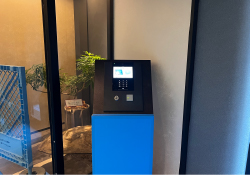
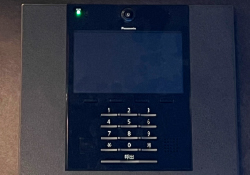
Enter the PIN code provided in your pre-arrival email into the keypad at the entrance.
-
-
-
STEP02
-
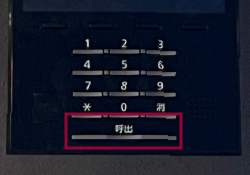
Press the “Call” button to unlock the door.
-


Guest Floor Information
After entering, you will find an elevator straight ahead.
Please go to the floor of your reserved room.
2F: Seto 201, Momiji 202, Lemon 203, Rijō 204, Geishu 205
3F: Seto 301, Momiji 302, Lemon 303, Rijō 304, Geishu 305
4F: Itsukushima 401, Aki 402, Miyajima 403, Koi 404, Hiroshima 405
5F: Itsukushima 501, Aki 502, Miyajima 503, Hiroshima 505
Location of the Check-in Terminal
The terminal for rooms 201–205 and 301–305 is on the 2nd floor.
For rooms 401–405 and 501–505, it is on the 4th floor.
After exiting the elevator, turn left.
The tablet terminal is located on the wall at the far end under the covered area.


Check-in Procedure
Please complete your check-in using the dedicated tablet terminal.
-
-
STEP01
-
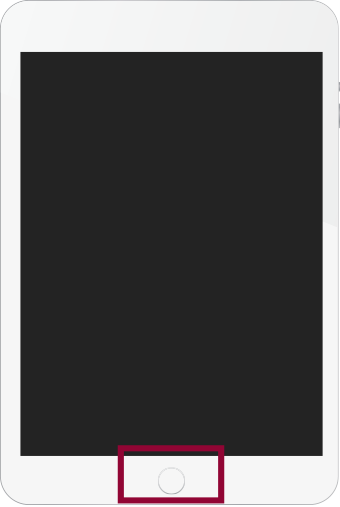
Press the home button at the bottom of the tablet screen to turn it on.
-
-
-
STEP02
-
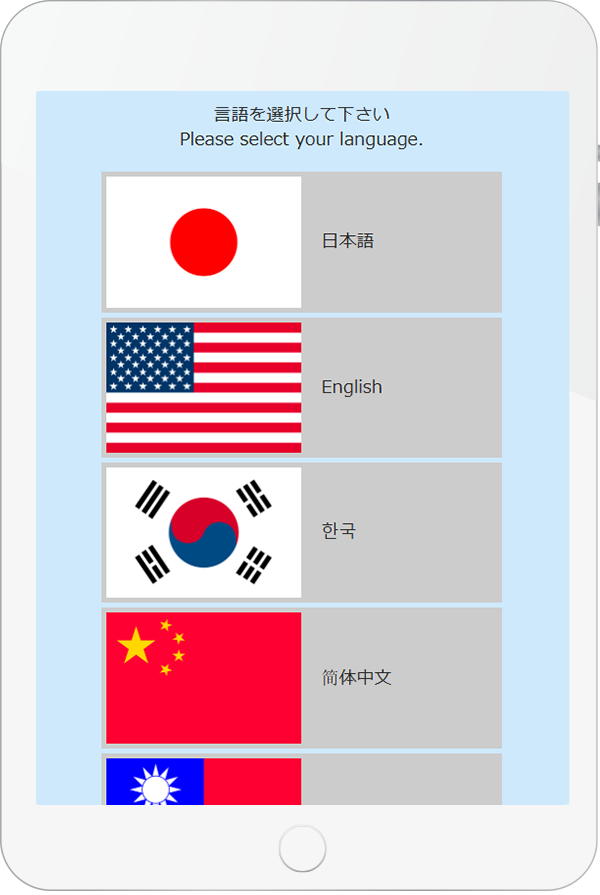
Select your preferred language.
-
-
-
STEP03
-
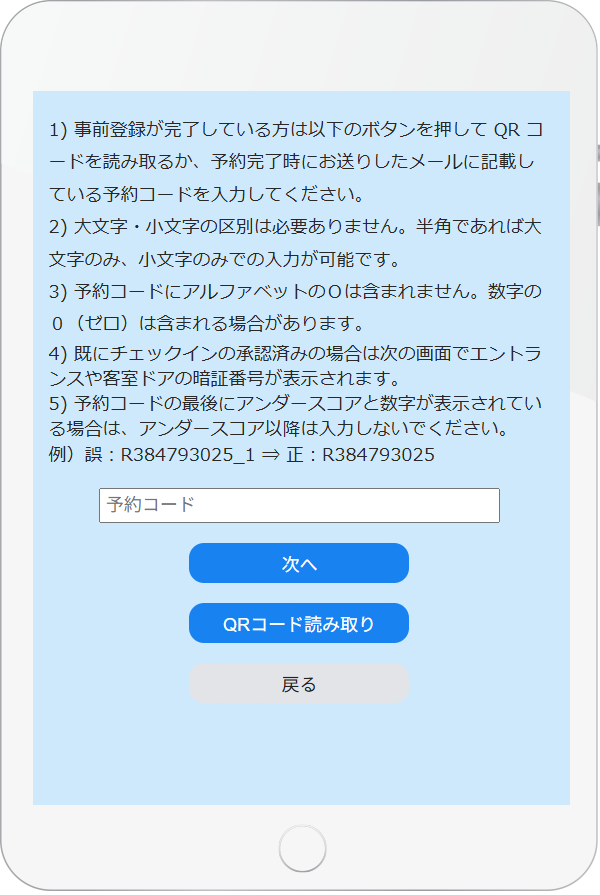
If you have a QR code, scan it with the tablet.
If not, enter your reservation code from the confirmation email.
The QR code is generated when you pre-register your guest information.
-
-
-
STEP04
-
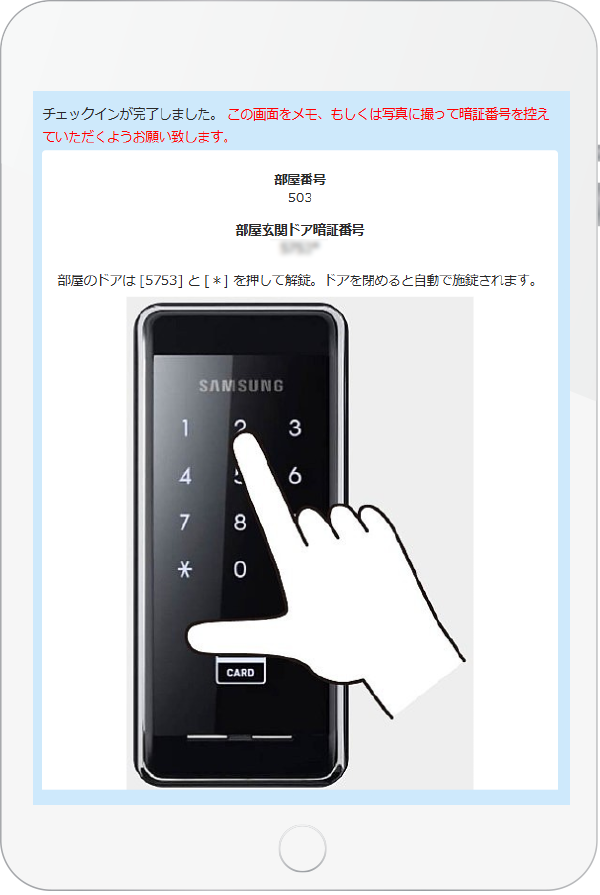
After entering all guest information, complete the photo and signature steps to display your room access code.Guests residing outside Japan will also be asked to photograph their passport.Please record the code by taking a photo or making a note.
-


Your check-in is now complete.
How to Unlock Your Room Door
-
-
STEP01
-
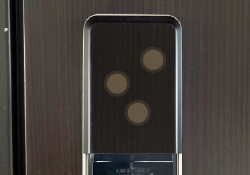
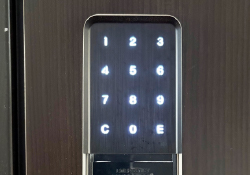
Touch the black area with several fingers to activate the keypad and illuminate the numbers.
-
-
-
STEP02
-
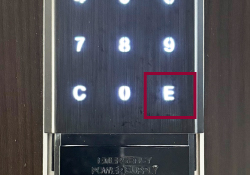
Once the keypad lights up, enter the PIN code displayed during check-in and press “E” to unlock the door.
-


When you leave the room, the door will lock automatically upon closing.
Please make sure to have your PIN code when returning.
Check-out
No formal check-out procedure is required.
Please vacate your room by 10:00 AM.